What is On-Page SEO? Step-by-Step Optimization Guide
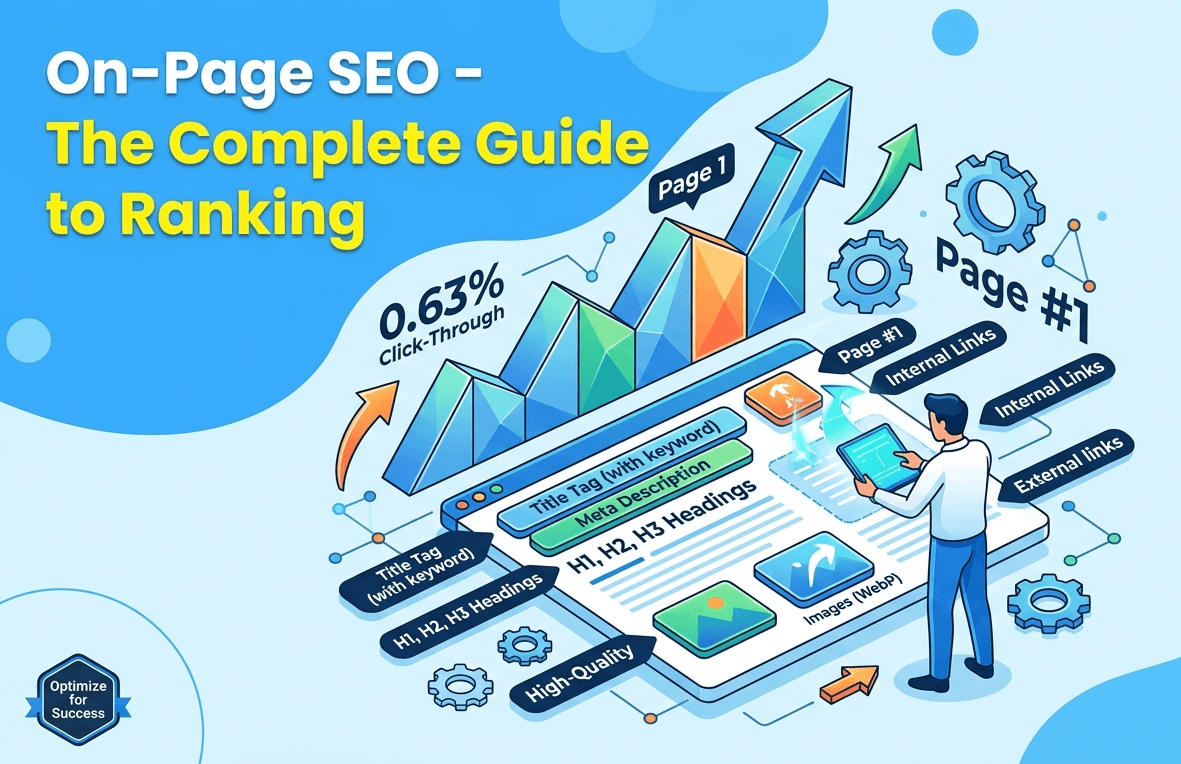
On-Page SEO - The Complete Guide to #1 Ranking
Only 0.63% of Google users ever click past page one. If your page is sitting on page two or below, it is practically invisible and on-page SEO is the fastest lever you have to change that without spending a single rupee on ads.
Before You Start Reading:
If you are completely new to SEO and have never heard terms like "keywords," "meta tags," or "search intent" before we strongly recommend reading our Fundamentals of SEO Explained: Complete SEO Guide for Beginners first. It will give you the foundation to understand everything in this article much better. You will get ten times more value from this guide once you know the basics.
What is On-Page SEO ?
On-page SEO Optimization is the practice of improving individual web pages so they rank higher in search results and bring in more relevant visitors. It covers everything on the page itself: title tags, headings, content, images, URL, and links
Think of Google as a very smart librarian. When someone searches "on-page SEO means" the librarian goes through millions of books (web pages) and picks the one that is the most relevant, trustworthy, and genuinely helpful. On-page SEO is how you make your page the one the librarian picks.
Google uses over 200 ranking signals but many of the most important ones are things you can control and improve such as title tag, keywords placement, page content quality, images, your links. When you get these right, you are telling Google clearly and confidently: "This page is the best answer to this question."
Did You Know?
- Organic and paid search combined drive 68% of all trackable website traffic -BrightEdge (2025)
- Organic search alone accounts for 53% of all trackable website traffic -BrightEdge (2025)
- 96.55% of all pages receive zero organic traffic from Google -Ahrefs (2023, study of ~14 billion pages)
- Pages on the first page of Google average 1,447 words -Backlinks
What is On-page and Off-page SEO?
On-page SEO is everything you do on your own website whereas Off-page SEO is everything that happens outside your website, mainly earning backlinks from other sites.
Here is something important to understand before we look at the differences side by side: for new websites or mid-sized sites (especially if your Domain Authority is below 40), improving on-page SEO will almost always give you faster, more visible results than earning backlinks. Backlinks take months to earn and are never guaranteed.
But your title tags, content, and page structure.
You can fix those today. And once your on-page SEO is solid, every backlink you earn in the future will carry far more power.
Before diving into the comparison, remember this: no backlink will fully compensate for a page that is poorly structured or fails to answer the searcher's question.so, fix the page first.
Difference between On-page and Off-page SEO
| Factor | On-Page SEO | Off-Page SEO |
| Definition | Optimisations made within your own page | Actions taken outside your site to build webpage authority |
| Examples | Title tags, content, headings, URL, images | Backlinks, social signals, brand mentions |
| Control | Full control | Partial control - depends on others |
| Speed of impact | Faster (days to weeks) | Slower (weeks to months) |
| Primary goal | Relevance and clarity | Authority and trust |
| Who does it | You and your team | You and other sites |
| Core tools | Yoast SEO, Screaming Frog, Surfer SEO | Ahrefs, Moz, SEMrush |
Warning:
Focusing only on backlinks while ignoring on-page SEO is a common and costly mistake. A page with poor on-page signals will not rank well even with dozens of backlinks. Fix the page first, then build links to it.
The Pillars of On-Page SEO
On-page SEO optimization is not one single task. It is a combination of 7 key elements that all work together. If even one of them is broken or missing, your page's ability to rank is limited no matter how good the rest of it is.
Here are 7 pillars of On-page SEO:
- Title Tags and Meta Descriptions
- Keyword Placement
- Heading Structure
- Content Quality
- Images
- Internal Links
- External links
Let us explore each of these pillars in detail:
Title Tags and Meta Descriptions: Your First Impression in Google Search Results
The title tag is the clickable blue headline that appears in Google search results. It is one of the most influential on-page SEO elements. A well-written title tag includes the primary keyword within the first 60 characters, tells the searcher exactly what the page offers, and gives them a reason to click.
Before a single person visits your website, they see two things in Google: your page title and description. That is your first chance to make them want to click. If your title is irrelevant or stuffed with keywords that make no sense, people will skip it. If your meta description does not match searcher intent clearly ortell them what they will get, they will choose someone else's page instead.
For strong title tag always add your main keyword in the first 60 characters, this will tells the reader exactly what the page is about & gives them a clear reason to click. It should be direct and specific.
However meta description does not directly affect your ranking position, but it has a big impact on how many people actually click your result. Write better description between 150 and 160 characters, include your main keyword naturally, and end with something that makes the reader curious to find out more.
According to a study by Portent, titles that are between 6 and 10 words long generate the highest CTR.
Tip:
Studies by Conductor show numbered titles generate 36% more engagement than titles without numbers - Conductor
Keyword Placement: Signal Relevance to Search Engine
Keyword placement is the practice of putting your target keyword in the specific spots Google(search engine) looks at first. It is not about how many times you use it. It is about where you place it.
Think of keywords like road signs. A sign at the right junction tells everyone exactly where they are. A sign placed randomly in a field helps nobody. Google (Search engine) works the same way. Google does not count how many times you use a keyword. It pays attention to where you use it. If your keyword appears in the title, in the first paragraph, in a heading, and in the URL, Google gets a very clear signal that your page is genuinely about that topic. That is smart keyword placement and it works far better than stuffing a keyword into every sentence.
Here are the key positions:
- In the title tag (within the first 60 characters)
- In the H1 heading
- In the first 100 words of the body content
- In at least one H2 subheading
- In the URL slug
- In the meta description
- In the alt text of at least one image
Beyond the main keyword, always use related terms throughout your content, these are called LSI (Latent Semantic Indexing) keywords. For "on-page SEO" those related terms include "meta tags" "title tag optimisation" "content quality" and "search intent" including these in naturally helps Google confirm the depth and relevance of your page without ever triggering a keyword stuffing penalty.
Heading Structure: The Roadmap Both Readers and Search Engines Follow
Heading structure refers to the H1, H2, and H3 tags that organise your page. Your H1 is the main topic. Your H2s are the major sections. Your H3s are the supporting details within each section.
Headings (H1, H2, H3) organise your page into a clear structure. Google uses this structure to understand what your page is about and which parts matter most. Readers use it to scan and quickly find what they need.
Think of headings as road signs on a highway. When a reader lands on your page, they do not read every single word, first they scan the headings to decide if this page has the answer they came for. If your headings are clear and logical, they stay and keep reading. If they are confusing or unorganized, they leave.
Google works the same way. A well-structured heading hierarchy tells Google what each section covers, which topics are most important and how the whole page is organised. It is one of the clearest signals you can give and one of the easiest to get right.
The rule is simple: use exactly one H1 per page (your main topic, with your keyword in it). Use 2 to 6 H2s for your main sections. Use H3s for the supporting details under each H2. And never, ever skip a level going from H1 straight to H3 without an H2 in between confuses both readers and search engines.
Content Quality: The Foundation That Every Other On-Page Element Rests On
Content quality means how well your content answers the searcher's question with depth, clarity, and original information they cannot find elsewhere.
Always remember: Content is the foundation of on-page SEO.
Think of your content like the meal at a restaurant. The title tag and meta description are the menu. The URL is the sign outside. The headings are the presentation. But no matter how good everything else looks, if the food itself is disappointing, the customer never comes back. Google has learned to tell the difference between content that genuinely satisfies users and content that just looks good on the surface.
Google has made one principle very clear especially after its Helpful Content updates pages written for people rank better than pages written for search engines. If your content genuinely helps the reader, Google rewards it with higher rankings. If it is thin, repetitive, or just trying to tick keyword boxes, Google ignores it or worse penalises it.
Good content does a handful of things well. It directly answers the question the reader typed. It covers the topic with enough depth that the reader does not have to go searching elsewhere for more information. It uses clear, plain language that anyone can understand. And it backs up what it says with real examples, specific data, and actionable steps not just general statements.
Did You Know?
- Articles with 3,000+ words consistently generate the most organic traffic -Semrush research
- Content with at least one image ranks significantly better than text-only pages -Ahrefs
- Pages that answer the query directly in the first paragraph are more likely to appear in Google's featured snippets -Search Engine Journal
Images: Boost Engagement and Rankings Without Slowing Your Page Down
Image optimisation means preparing every visual on your page so it loads fast, can be read by search engines, and adds genuine value to the reader.
Images make your content more engaging and helpful for readers to understand your point faster. But images that are too large or missing alt text slowdown your page and are completely invisible to Google.
Think of images like staff in a shop. A well-trained staff member helps customers and makes the experience better. An untrained staff member who does not know the products creates confusion and slows everything down. Unoptimised images do the same to your page. They slow load times, carry no context for search engines, and do nothing useful for the reader.
An image is not just decoration on a page. It signals to Google that your content has depth. It gives readers something visual to engage with between long sections of text. And when used correctly, it can even help your page appear in Google Image Search an entirely separate source of free organic traffic that most people completely ignore.
But here is the problem most websites have: they upload images straight from a camera or stock site without any optimisation at all. A 5MB image takes ages to load, and Google penalises slow-loading pages. An image without alt text is completely invisible to search engines.
On-page image optimisation means:
- Use descriptive, keyword-inclusive file names (for example, on-page-seo-checklist.png instead of IMG00123.png)
- Write accurate alt text for every image
- Compress images to reduce file size without visible quality loss
- Use modern formats like WebP where supported.
- Alt text should describe the image clearly and naturally. "Screenshot of Google Search Console showing on-page SEO performance data" is good alt text. "SEO optimization on-page SEO tips" is keyword stuffing and should be avoided entirely.
Did You Know?
- Images account for approximately 21% of a typical webpage's total weight -HTTP Archive
- WebP format reduces image file sizes by an average of 25–34% compared to PNG and JPEG -Google Developers
Internal Links: Guide Your Readers Deeper and Pass Authority Across Your Entire Site
Internal links are links from one page on your website to another page on the same site. They help Google discover all your pages, pass authority from high-performing pages to newer ones and keep readers engaged and exploring longer.
Think of internal links like the corridors of a well-designed building. A building with no corridors is just a collection of isolated rooms. Visitors walk in and do not know where else to go. A building with clear, well-labelled corridors lets people move naturally from room to room. Internal links do the same thing for your website. They create a connected structure that both users and Google can navigate with ease.
Most website owners focus all their attention on getting links from other websites (backlinks). But they completely overlook the links they already have within their own site. This is one of the most underused and easiest SEO wins available to any website, at zero cost.
Every time you link from one page to another using clear and specific anchor text, you are doing two things at once: you are helping Google understand what the linked page is about, and you are giving readers a natural, easy path to find more of your content, More time on site, Better crawlability, Stronger authority distribution. All from something that takes five minutes to do.
Remember these points for internal linking:
- Always use descriptive anchor text that tells both the reader and Google what the linked page is about.
- Avoid generic anchor text like "click here" or "read more" these carry no topical signal.
Tip:
Every time you publish a new page, go back to two or three existing high-traffic pages and add an internal link pointing to the new one. This single habit alone can get a new page indexed and ranking weeks faster than waiting for Google to crawl it organically.
External Links: Build Trust by Citing the Sources You Actually Reference
External links (also called outbound links) are links from your page to other websites. Linking to credible, authoritative sources, this tells Google that your content is well-researched and connected to verified knowledge.
Think of external links like the citations in a research paper. A paper with no citations raises questions about where the information came from. A paper with strong, reputable references earns immediate trust. Google reads your outbound links the same way. Linking to an original study, government data, or an authoritative industry publication strengthens your page's credibility. Avoiding all external links does not protect your traffic. It just makes your content look unverified.
Common Mistake
Many site owners avoid linking out to other websites because they are afraid of "sending their traffic away." This is an understandable fear and it is also a mistake that quietly damages their page quality.
Google values pages that are genuinely connected to the broader web of verified, credible knowledge. When you link to a relevant and authoritative source, it actually strengthens your page's trustworthiness not weakens it.
Best Practices:
- Always link to the original study or report, not to a secondary blog that just referenced it.
- Use rel="nofollow" for paid or affiliate links
- always set external links to open in a new tab so your reader stays on your page while still getting access to the source.
Why Is On-Page SEO Important?
On-page SEO is important because it helps Google show your page to the right audience or searchers who are looking for content relevant to your page.
On-page SEO is the bridge between what someone types into Google and what your page actually delivers. If that bridge is weak, users leave within seconds that signals Google to lowers your ranking.
Here are the key metrics you should monitor to evaluate the effectiveness of your On-Page SEO:
- User Experience
- Bounce Rate and Dwell Time
- Search Intent
- Page Speed
- Click-Through Rate
User Experience: When Your Page Feels Easy to Use, Google Takes Notice
User experience in SEO refers to how easy, clear, and comfortable your page is to read and use. your page is clear, fast, and simple to read, people stay longer and Google sees that as a strong positive signal.
In 2021, Google officially made user experience a confirmed ranking factor through its Core Web Vitals update. But even before any algorithm update made it official, good user experience was always good for rankings. When people enjoy using your page, they stay. When they stay, Google takes notice. When they leave immediately, Google interprets that as a failure and your ranking drops.
Think of user experience like a well-designed shop. A store where products are clearly labelled, aisles are easy to navigate, and checkout is simple keeps customers longer and brings them back. A chaotic, crowded, hard-to-navigate store sends customers straight to the exit. Your webpage works exactly the same way. A clear, fast, well-organised page keeps visitors reading. A cluttered or slow page sends them back to Google.
Here is the good news: on-page SEO done well naturally creates a better user experience. Clear headings let readers scan without getting lost. Short paragraphs make the content easy to digest without feeling overwhelming. Relevant images break up long blocks of text. Internal links give readers a natural path to explore more, all of it has a real impact on how long people stay and whether they come back.
Bounce Rate and Dwell Time: What Happens After the Click Matters More Than You Think
Dwell time is how long a visitor stays on your page before returning to the search results. The longer they stay, the stronger the signal that your page was genuinely useful similar way Bounce rate is the percentage of visitors who leave your page without taking any further action tells Google your page failed to deliver what it promised.
Here is something most people do not realise about SEO: getting the click is only half the battle. What happens after the click matters just as much. If someone lands on your page and immediately hits the back button to return to Google, that is called a quick bounce and Google notices when it happens over and over again. It interprets it as a clear signal that your page did not satisfy the searcher's query. Do that consistently, and your rankings will go down even if your content was once performing well.
Think of bounce rate and dwell time as silent customer feedback. A visitor who clicks your result, reads for five minutes, and then navigates deeper into your site is giving you a five-star review. A visitor who lands on your page and immediately goes back to Google is giving you a one-star review. Enough one-star reviews and Google starts recommending your competitors instead.
A page that matches search intent, loads fast, answers the question clearly, and is easy to read keeps people engaged. That longer dwell time and lower bounce rate create a positive cycle that improve your rankings over time.
Did You Know?
Top-ranking pages consistently show lower bounce rates than pages ranking below them. Pages that match search intent, load fast, and answer the question clearly naturally earn the dwell time that reinforces their rankings -Semrush
Search Intent: Rank Higher by Giving Searchers Exactly What They Came For
Search intent is the reason behind a search, what the person actually wants when they type something into Google. Match your page to that intent and you have a strong chance of ranking. Ignore it and your page will not rank.
Every search has a "why" behind it. Someone searching "what is on-page SEO" wants a clear explanation not a list of services for hire. Someone searching "buy SEO tool" wants a product page not a beginner's guide. Google understands the difference, and it will always prioritise the content format that best matches what the searcher actually wants.
Think of search intent like a food order. If a customer orders a vegetarian meal and receives a non-vegetarian meal, the quality of the non-vegetarian meal is irrelevant they wanted something entirely different. Google understands the difference between intent types, and it consistently favours the page format that best matches what the searcher wanted. A service page targeting an informational keyword is a mismatch that will not rank, no matter how well written it is.
Before writing a single word of content:
- Study the top five results for your target keyword.
- What format are they using?
- What questions do they answer?
That is what Google has decided the searcher wants and your page needs to match it.
Did You Know?
- Organic search drives 53% of all trackable website traffic -BrightEdge (2025)
- Pages that match search intent rank in the top 5 results significantly more often than pages that do not -Ahrefs
- Informational queries make up the largest share of Google searches -SparkToro / SE Ranking (2024)
Page Speed: Every Second of Delay Is Costing You Rankings and Readers
Page speed is the time it takes for your page to become fully usable after a visitor clicks on it.
Page speed is a confirmed Google ranking factor for both desktop and mobile. A page that loads slowly frustrates users, increases the bounce rate, and signals to Google that the page delivers a poor experience all of which directly harm rankings.
Think of page speed like a shop door. A door that opens instantly invites you in. A door that takes five seconds to open makes you wonder if the shop is worth entering and many people just walk away.
According to Google's own research, as page load time increases from one second to three seconds, the probability of a mobile user bouncing increases by 32%. From one second to five seconds, it jumps to 90%.
The most common causes of slow page speed are as follows:
- Large uncompressed images,
- Excessive JavaScript loading in the background,
- No browser caching enabled,
- Slow server response times.
Tip:
Every single one of these is fixable and Every second saved is a measurable improvement in both rankings and conversions.
Click-Through Rate: Get More Organic Traffic Without Climbing a Single Position
Click-through rate (CTR) is the percentage of people who see your page in search results and actually click on it. On-page SEO directly influences CTR through the quality of your title tags and meta descriptions: the two elements the searcher evaluates before ever visiting your page.
A title that includes the primary keyword, communicates a specific benefit, and creates genuine curiosity will consistently outperform a generic or keyword-stuffed one.
Think of CTR like a shop window on a busy street. Everyone walking past sees the window. Some walk in. Most walk past. The window display is your title and description. A display that is specific, interesting, and clearly shows what is inside attracts more visitors than a blank or cluttered one. You can meaningfully grow your organic traffic without moving a single position on Google simply by writing a better title and description.
Did You Know?
- The #1 organic result receives an average CTR of 27.6%, versus approximately 2.4% at position 10 -Backlinko
- The #1 result is roughly 10x more likely to be clicked than the #10 result -Backlinko
- Moving from position 10 to position 1 can increase CTR by more than 25 percentage points on average - Backlinko
Warning:
Never write meta descriptions that overpromise or mislead. When users click and find content that does not match the preview, they bounce immediately. Repeated fast bounces signal to Google that your page is not the right result for that query and rankings will drop.
How Do You Optimize a Page?
Optimising a page follows a clear, repeatable process. Start with keyword research, then work through your title, content, headings, images, URL, and links in order.
Here is how to approach it from start to finish.
Step 1: Keyword Research: Find the Exact Terms Your Audience Is Typing Into Google
Keyword research is the process of finding the specific words and phrases your audience types into Google when searching for specific topic. It is the foundation of every other on-page decision you make.
Think of keyword research like tuning into a radio frequency. Your content is ready to broadcast. But if you are on the wrong frequency, nobody hears it. Keyword research puts you on exactly the frequency your audience is already listening to.
Every on-page optimisation effort starts with keyword research. Without knowing what your target audience is actually searching for, you cannot match search intent or optimise effectively.
Begin by identifying the page's core topic, then use tools like Ahrefs, Google Keyword Planner, or Ubersuggest to find the exact term your audience uses - one with sufficient search volume and manageable competition for your site's current authority. Next, identify LSI and related keywords by checking Google's "People Also Ask" section and "Related Searches" at the bottom of the results page. Finally, verify search intent by examining the top five results for your keyword. What format do they use? What questions do they answer? What length are they? That is what Google considers the best match for this intent, and your page should align with it.
Tip:
For new sites or low-DA domains (under DA 30), target long-tail keywords (three to five words, such as "on-page SEO checklist for beginners") before attempting high-competition head terms like "SEO."
Step 2: Title Tags and Meta Descriptions: Write the Snippet That Earns the Click
A title tag is the headline your page shows in Google search results. A meta description is the short text below it. Together, they are the only two things a searcher sees before deciding whether to visit your page.
Once you have your primary keyword, craft your title tag and meta description before writing the body content. This keeps the page focused on a single clear intent and prevents topic drift.
Title tag formula: [Primary Keyword] - [Specific Benefit or Year or Number]
Strong examples include "On-Page SEO Optimization - Complete Guide" or "10 On-Page SEO Techniques That Actually Get Results."
Keep title tags under 60 characters.
For meta descriptions, follow this formula: lead with a sentence containing the primary keyword, state what the reader will get from the page, and close with an implicit reason to click. Keep meta descriptions between 150 and 160 characters. Use tools like Portent's SERP Preview Tool to check how they will appear in search results before publishing.
Tip:
If existing pages are ranking in the top 10 but getting few clicks, rewriting just the title tag and meta description can increase CTR by 20 to 30% within weeks without changing any other content. It is the fastest on-page win available to most established sites.
Step 3: Content Optimization: Write for the Reader, Rank for the Query
Content optimisation means making your webpage content match what the searcher wants, easy for anyone to read, and more useful than every competing page already ranking for your keyword.
After establishing your keyword strategy, the webpage content must be optimised for both search engines and human readers two audiences that increasingly want the same thing.
For search intent, match the content format to what already ranks. If the top results are all how-to guides, write a how-to guide and answer the primary keyword question in the first 100 words. Cover every sub-topic that top-ranking competitors cover, then add original insights, data, or examples they do not have.
For readability, aim for a grade 7–9 reading level. Use short paragraphs of three to four sentences maximum. Write in active voice. Break up long sections with subheadings, bullet points, or visuals at regular intervals.
According to Nielsen Norman Group, users read only 20–28% of the words on a page. Formatting for scanners with clear headings, bolded key terms, and bulleted takeaways is not optional for content that needs to rank and retain readers.
Step 4: Heading Structure Optimization: Build Architecture That Users and Google Both Understand
To optimise your heading structure, verify that every page has exactly one H1 with the primary keyword, two to six distinct H2s covering major sections, and H3s supporting each H2, with no heading levels skipped.
Check each page systematically. The H1 should state the page's main topic clearly and include the keyword. H2s should each cover a meaningfully different major section, not variations of the same idea. H3s should add specific, useful detail under each H2.
TIP:
copy all your headings into a plain text document and read them top to bottom. If they form a clear, logical outline of the topic, your heading structure is correct and both users and search engines will understand the page's architecture immediately.
Step 5: Image Optimization: Make Every Visual Fast, Accessible, and Findable
Image optimisation is the process of preparing each image so it loads quickly, can be understood by search engines, and is accessible to all users.
Think of image optimisation like packing for a flight. Every bag gets checked by security (search engines). A bag that is too heavy gets charged extra (slow page load). A bag with no label gets set aside (no alt text, invisible to Google). A well-packed, clearly labelled bag goes straight through and arrives first. Your images work exactly the same way.
For every image on a page, follow this five-step process:
- Rename the file before uploading- use descriptive, keyword-relevant filenames separated by hyphens.
- Write alt text that describes the image accurately in ten to fifteen words, including the keyword only where it fits naturally.
- Compress the image to reduce file size without visible quality loss- aim for under 150KB for standard body images using tools.
- Choose the right format: WebP for all modern browsers, JPG for photographs, PNG for graphics with transparency.
- Set explicit width and height attributes in the HTML to prevent Cumulative Layout Shift - a Core Web Vitals metric that directly affects your page's technical SEO score.
Did You Know?
- Images account for 21% of a typical webpage's total weight - HTTP Archive
- Implementing WebP format reduces image file sizes by an average of 25–34% compared to PNG and JPEG - Google Developers
Step 6: URL Structure Optimization: Short, Clean, and Built to Last
A URL slug is the part of the page address after your domain name that identifies the specific page. An optimised slug is short, lowercase, uses hyphens between words, and contains the primary keyword.
A clean URL structure helps both users and search engines understand what a page is about before they click on it making it both an on-page SEO and a usability concern.
Think of a URL like a street address. "12 Baker Street" tells you exactly where to go. "Building 4C, Unit 217b, Block Q, Phase 3" leaves you lost before you even start. Google and users read your URLs the same way. A clean & clear URL builds immediate confidence. A long URL full of numbers and symbols raises doubt before the page even loads.
For URL structure optimization, follow these points:
- Keep URLs short (under 75 characters where possible) and include the primary keyword in the URL slug.
- Use hyphens, not underscores, to separate words: /on-page-seo-guide is correct; /on_page_seo_guide is not.
- Remove stop words where they do not affect clarity.
- Use lowercase letters only to avoid duplicate URL issues.
- Avoid including dates in URLs unless the content is explicitly time-sensitive, such as news articles or annual reports, because dated URLs create maintenance problems when content is updated.
The difference between a clean URL and a messy one matters more than most site owners realise.
e.g: yoursite.com/on-page-seo-optimization tells the user and Google exactly what the page covers. yoursite.com/blog/2024/11/12/?p=4391 tells them nothing and signals a poorly structured site.
Step 7: Internal and External Linking Optimization: Build the Authority That Holds Rankings
Internal linking means connecting your own pages to each other. External linking means linking from your page to credible sources outside your site. Both are essential parts of a fully optimised page.
Think of internal links like the corridors of a well-designed office building and external links like the citations in a published research report. An office with well-placed corridors lets people move efficiently between rooms. A report with proper references earns credibility and trust. Your website needs both: well-connected internal pages that distribute authority across your site, and credible external references that show Google your content is well-founded.
For internal linking, every new page should receive links from at least three to five existing high-traffic pages. Each page should also link outward to three to five related internal pages. Use descriptive anchor text and audit all internal links quarterly for anything broken.
For external linking, add two to four outbound links per page pointing to authoritative sources. Always link to the original study or report, not a blog that referenced it. Use rel="nofollow" for paid links and rel="sponsored" for affiliate links. Set all external links to open in a new tab.
SEO On-Page Checklist
Use this checklist every time you publish or update a page.
Print it, save it, or build it into your content workflow.
Keyword and Intent
- Primary keyword identified with confirmed search volume
- Search intent confirmed (informational / commercial / transactional / navigational)
- LSI and related keywords identified and naturally included in the content
Title Tag and Meta Description
- Title tag includes the primary keyword in the first 60 characters
- Title tag is under 60 characters total
- Meta description is 150–160 characters and includes the keyword
- Meta description communicates a clear benefit or reason to click
Headings and Structure
- Exactly one H1 per page, containing the primary keyword
- H2s cover distinct major sections (not repetitions of the H1)
- H3s provide supporting detail under H2s
- No skipped heading levels anywhere on the page
Content
- Primary keyword answered or defined in the first 100 words
- Content matches the search intent of the target keyword
- No keyword stuffing
- At least one original stat, example, or insight not found on the top competing pages
Images
- All images have descriptive file names (not IMG001.jpg or photo.png)
- All images have accurate alt text of 10–15 words
- All images compressed to under 150KB
- Images use WebP format where supported
URL
- URL slug is short, lowercase, and includes the primary keyword
- No special characters, dates (unless necessary), or stop words in the slug
- Hyphens used to separate words, not underscores
Linking
- 3–5 internal links pointing to this page added to existing high-traffic pages
- 3–5 internal links from this page to related content on the same site
- 2–4 external links to credible, authoritative sources
- No broken links before publishing
- External links set to open in a new tab
Technical
- Page loads in under 3 seconds on mobile (tested with Google PageSpeed Insights)
- Page passes Mobile Usability test in Google Search Console
- Core Web Vitals in the green zone: LCP under 2.5s, CLS under 0.1, FID under 100ms
Conclusion
On-page SEO optimization is one of the most controllable and measurable aspects of digital marketing. You do not need a large budget or hundreds of backlinks to start seeing results. It requires a clear process applied consistently. A page that matches search intent, loads fast, and is easy to read will outperform a technically impressive page with nothing useful on it every single time.
Here are three actions you can take immediately:
- Audit your top five pages - open each page in Google Search Console, check the title tag and meta description, and rewrite any that do not include the primary keyword naturally within the first 60 characters.
- Run a heading structure check : use Ahrefs Site Audit to check every page for missing H1s, duplicate H1s, or skipped heading levels, then fix them in order of traffic importance.
- Compress all unoptimised images: run your key pages through Google PageSpeed Insights, identify oversized images under Opportunities, compress them and republish.
References
| Stat / Claim | Source |
| 0.63% of users click page two results | Backlinko SERP CTR Study |
| 96.55% of pages receive zero organic traffic | Ahrefs (study of ~14B pages) |
| Pages ranking #1 average 1,447 words (first-page avg.) | Backlinko |
| Organic + paid search = 68% of trackable web traffic | BrightEdge (2025) |
| Numbered titles generate 36% more engagement | Conductor |
| 3,000+ word articles generate the most organic traffic | Semrush |
| Users read only 20–28% of words on a page | Nielsen Norman Group |
| Images = ~21% of typical webpage weight | HTTP Archive |
| WebP reduces file size 25–34% vs PNG/JPEG | Google Developers |
| Mobile bounce rate +32% when load time goes 1s to 3s | Think with Google |
| #1 result averages 27.6% CTR; #10 averages ~2.4% | Backlinko |
| INP replaced FID as Core Web Vital on March 12, 2024 | Google Search Central |
| Informational queries: largest share of Google search intent | SparkToro / SE Ranking (2024) |